How to Enable an
AppliTrack Selection Screening Assessment
Each (education)
installation of AppliTrack Recruitment comes with a one month free trial of our
AppliTrack Selection instruments. Currently, these include TeacherFit
– for classroom teachers, JobFit – for school support
personnel, AdminFit – for school administrative
assessments and TeacherFit/SE (Special Education).
An AppliTrack
system SuperUser may enable these assessments
directly.
Here's
how:
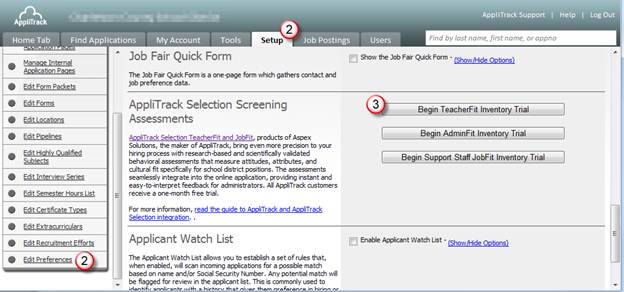
1) Go to Setup >
Edit Preferences.
2) Scroll down to the AppliTrack
Selection Screening Assessments section.
3) Click the
corresponding “Begin” button.
4) After clicking the “Begin”
button you’ll need to agree to the terms of service and best practices.
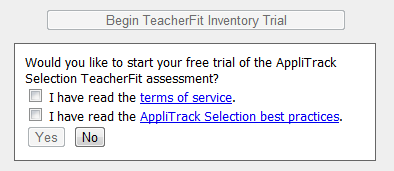
5) Clicking “Yes” will
install the assessment into your system.
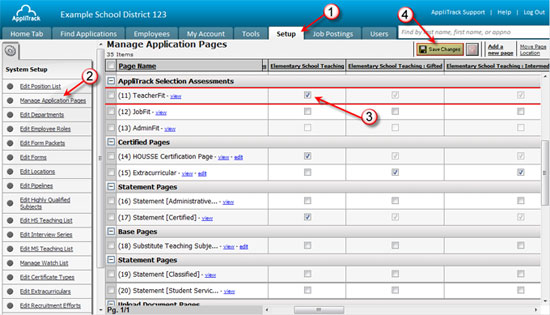
6) From here, you’ll
need to assign the assessment to some application categories. The most
convenient method is to use Setup > Manage
Application Pages. You may also assign the assessment directly
to position types or to vacancies.
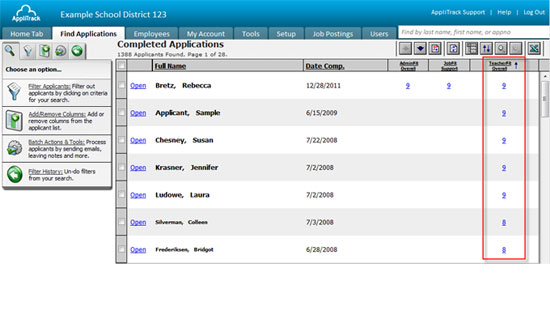
7) Once you have
associated the assessment into your system, you will start seeing scores alongside
their name in applicant searches. Click the score to open the full report.
8) AppliTrack Selection
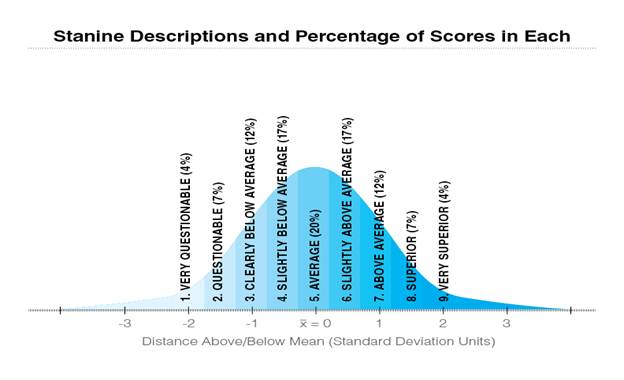
instruments uses stanines to score applicants so the
highest score within the AppliTrack Selection instruments is a 9. Scores are in
keeping with a standard bell curve with 4% of the population expected to
receive a 9 and 1.
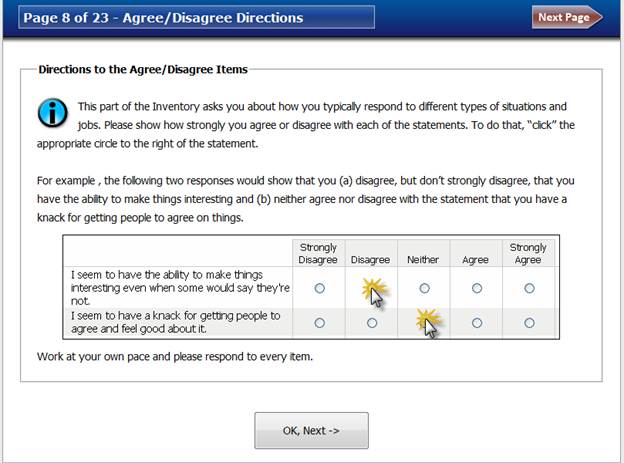
9) An example of how
the assessment looks to an applicant is below.
10) Your organization
will receive an invoice one month after you complete the integration. If you do
not wish to continue with the assessment at this time, you must contact our
support team to cancel at which time you will not be obligated to pay the
invoice.
See also:
·
Pricing:
http://www.generalasp.com/home/solutions.polaris.selection.rate.aspx
·
Test
characteristics: http://www.generalasp.com/home/solutions.polaris.selection.learnmore.aspx
·
How
Often Can an Applicant Retake Teacherfit or Other Fit
Tool